
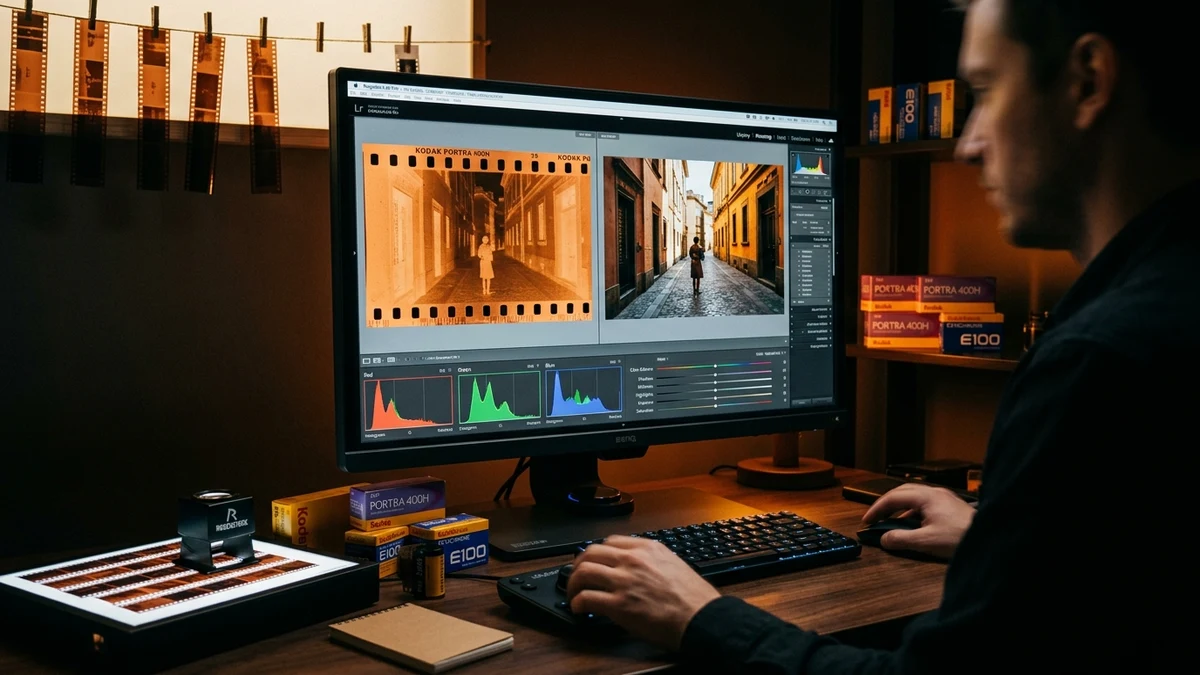
1. The Color Science of C-41 Inversion: Why Simple Inverting Fails
Color negatives cannot be inverted with simple digital negative filters because the orange mask is an integral optical dye component with non-uniform spectral density across red, green, and blue wavelengths.
In standard 8-bit digital graphics, an 'invert' tool simply calculates 255 minus the input value. When applied to a color negative, the orange mask (typically having a value around R=215, G=125, B=45) inverts to R=40, G=130, B=210—an aggressive, electric cyan hue. The resulting image exhibits zero color fidelity, inverted contrast, and severely clipped shadows.
1. Linear Transmission: Tc = clamp(Ic / Bc, 0.0001, 1.0)
2. Optical Density: Dc = -log10(Tc)
3. Positive Linear Energy: Lc = 1.0 - Tc
4. Sigmoidal S-Curve: S(x) = 1 / (1 + e-k(x - 0.5))
2. Iconic Film Stock Profiles & Color Characteristics
Different film manufacturers formulate unique dye couplers and silver crystal geometries. Select the profile that matches your film emulsion to restore authentic manufacturer color balance:
Kodak Portra 400
Color Signature: Warm golden highlights, natural peachy skin tones, and soft pastel shadow roll-off.
Best For: Portraiture, weddings, lifestyle, and golden hour street scenes.
Kodak Gold 200
Color Signature: Rich yellow-gold undertones, saturated primary reds and blues, and distinctive nostalgic warmth.
Best For: Summer vacations, bright daylight landscapes, and retro family albums.
Fujifilm Superia 400
Color Signature: Crisp emerald foliage greens, cool blue shadows, and punchy magenta contrast thanks to Fuji's 4th color layer.
Best For: Nature, botanical photography, and overcast outdoor conditions.
Ilford HP5 Plus (B&W)
Color Signature: Medium tabular grain, broad exposure latitude, and rich, flexible midtone gradation.
Best For: Classic street photography, architecture, and dramatic black-and-white portraits.
3. Step-by-Step Export Guide: Uncompressed TIFF vs PNG vs JPEG
Choose the right file format when saving your positive conversion depending on your intended output:
- PNG (Lossless 8-bit / 16-bit): Retains exact pixel values with zero compression artifacts. Ideal for editing in Photoshop, Lightroom, or darkroom archiving.
- JPEG (High Quality 90%): Efficient 5x file size reduction with virtually indistinguishable visual fidelity. Perfect for Instagram, AirDrop, and mobile sharing.
- TIFF (Archival Raw): Recommended when you intend to produce physical gallery prints or perform substantial shadow recovery in external post-processing software.
01 How does the 1-click eyedropper neutralize the orange mask?
When you tap the eyedropper and click the unexposed film rebate (the orange border around your image), the engine samples the exact RGB base vector B = (R, G, B). It divides the entire image by this base transmission vector in linear color space, subtracting the orange mask with mathematical precision.
02 Can this inverter handle black-and-white negatives?
Yes. Simply select the 'Ilford HP5' or 'Kodak Tri-X' preset. The shader desaturates the image and maps the silver density through a classic Hurter & Driffield S-curve to reproduce deep, velvety shadow tones and crisp archival highlights.
03 Does this tool work on medium format 120 and large format 4x5 negatives?
Yes. The WebGL shader operates on any resolution image file regardless of film format, including 35mm, 120 (6x4.5, 6x6, 6x7, 6x9), and 4x5 or 8x10 sheet film scans.
04 What should I do if my negative appears too dark or too bright?
Use the granular Exposure Compensation slider to shift midtone values up or down in 0.05 EV increments. If shadows lack punch, increase the Contrast S-curve slider from 1.00 to 1.15.