
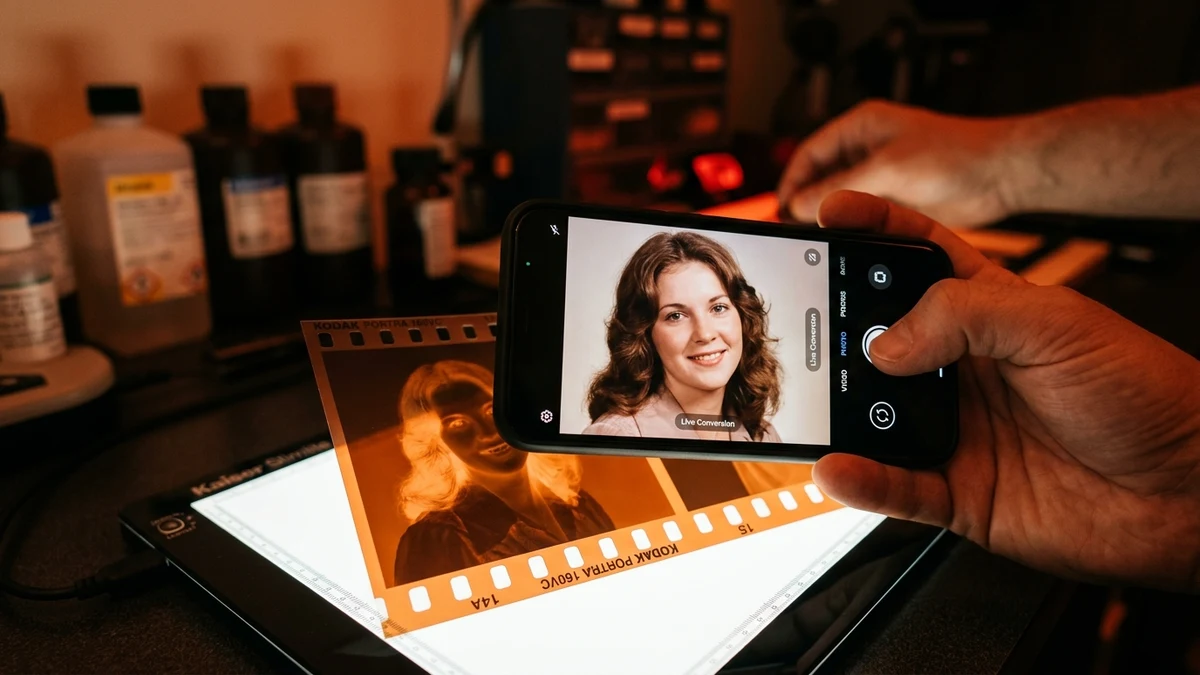
1. Optimizing Your Smartphone Camera for Film Digitization
To achieve scanner-quality sharpness from your smartphone, configure macro mode, lock exposure and focus (AE/AF), and photograph in RAW or maximum resolution.
Activating Macro Focus
On iPhone 13 Pro through 16 Pro, bring the lens within 2 to 3 inches of the negative until the flower macro icon appears. On Samsung Galaxy and Google Pixel devices, macro mode activates automatically when near subjects.
Locking AE/AF
Tap and hold directly on the negative frame in your camera preview until the yellow 'AE/AF Lock' box appears. Drag the sun brightness slider down slightly to preserve highlight roll-off and avoid clipping bright skies.
ProRAW and 48MP Capture
In your phone settings, enable 48MP ProRAW or High Resolution capture. Higher megapixel density resolves individual grain clusters instead of smudging them into digital noise.
2. Overcoming Mobile Scanning Limitations
Hand tremor, uneven ambient light, and camera tilt are the three most common causes of soft scans. Stabilize your phone parallel to the film plane using simple household stabilization rigs.
When you hold a phone freehand, micro-shakes reduce resolving power by up to 40%. Additionally, if the phone is held at a slight angle, only one side of the negative remains in sharp focus due to the shallow depth of field of macro optics.
- The Coffee Mug Stand: Place an upside-down mug or cardboard coffee cup over your light table and rest your smartphone flat on top with the camera lens hanging over the edge.
- Use the Volume Button as Shutter: Tapping the glass touchscreen introduces camera shake. Squeeze the physical volume button or use a 3-second self-timer to guarantee vibration-free captures.
- Dim Ambient Light: Overhead fluorescent tubes or table lamps cause specular glare on the glossy film base. Scan in a dimly lit room with only your backlit pad illuminated.
3. Web App vs Native Apps: Why FilmBox & Photomyne Frustrate Users
Native mobile scanning apps frequently lock users into expensive recurring subscriptions and upload personal family photos to proprietary clouds, whereas modern browser WebRTC engines operate 100% locally for free.
Predatory Native Apps (FilmBox / Photomyne)
- 39.99 to 99.99 USD/year subscription paywalls
- Traps your scans after 2 free preview images
- Uploads private family photos to external cloud servers
- Excessive AI smoothing that deletes natural film grain
Our Free In-Browser Camera Scanner
- 100% Free with zero subscription or account requirements
- Unlimited high-resolution PNG / JPEG exports
- 100% Client-Side Privacy: zero photo bytes ever leave your device
- Pure optical density color science preserving authentic grain
01 Do I need to install an app to scan negatives on my phone?
No. Our web scanner runs directly inside mobile Safari, Google Chrome, and Firefox using standard WebRTC and WebGL 2.0. You do not need to download native apps from the App Store or Google Play or pay weekly subscriptions.
02 How do I avoid shaky, blurry photos when holding the phone?
Rest your wrists or elbows firmly on the table, or build a simple cardboard tower stand (a clean coffee mug or cardboard box with a phone camera hole). This holds the phone at a fixed, vibration-free distance above the backlit negative.
03 Can I scan black-and-white negatives with my phone camera?
Yes. Switch the camera preset toggle from 'Kodak C-41 Color' to 'Ilford B&W Positive'. The shader will desaturate the negative and apply a rich silver halide contrast curve to deliver deep blacks and crisp highlights.
04 How high is the resolution when scanning negatives with an iPhone?
Modern iPhones with 48MP main sensors can capture up to 8064 x 6048 pixels in ProRAW, yielding over 3,000 optical DPI. That is sufficient for sharp 16x24 inch fine-art enlargements.